Live C
Live C# turns valid JSON into a live, read-only C# class preview so you can move from sample data to model shape without leaving Documents.
Prototyping models from real payloads is faster than inventing classes in a vacuum. Live C# shows what a generated shape could look like while you still have the sample open, then lets you copy the result into your project when it is ready.
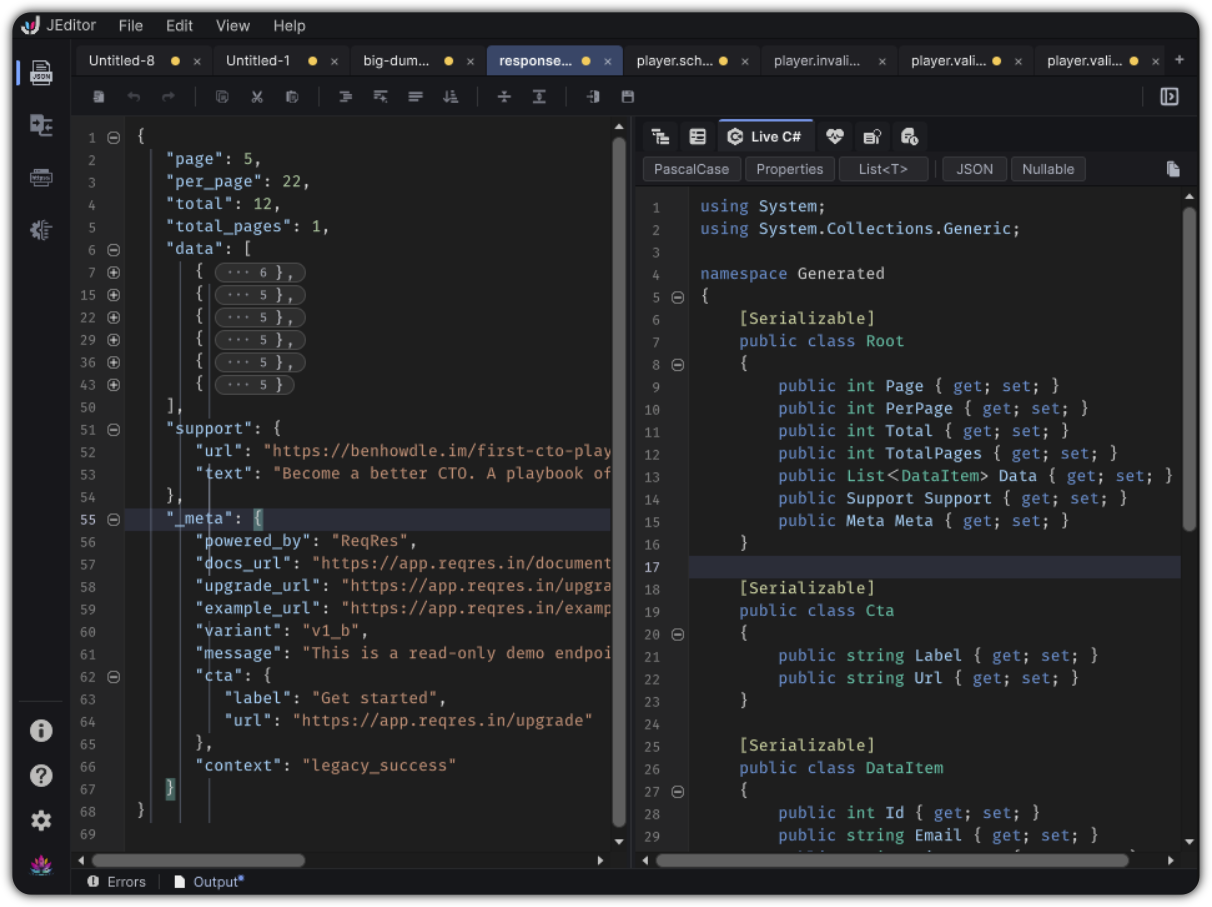
Open Live C
Right dock → Live C#
Empty states explain when there is no document or when JSON is invalid. The preview refreshes shortly after the document becomes valid again.
What you get
- A highlighted C# preview
- Toolbar chips for naming, fields or properties, and collections
- Copy generated C#
Live C# is a preview you copy. It does not write files into your project.
Toolbar chips
| Chip | Choices | Effect |
|---|---|---|
| Naming | camelCase / PascalCase | Member naming style |
| Members | Fields / Properties | Emit fields or properties |
| Collections | T[] / List<T> |
Array vs list generation |
| JSON | On / off | Include [JsonProperty] attributes |
| Nullable | On / off | Prefer nullable annotations where applicable |
Deeper options live in Preferences → Live C#:
[Serializable]- Wrap in a namespace / namespace string
- Emit usings
- Root class name defaults
- Related generation toggles
Example
Sample JSON:
{
  "questId": "q_harvest_01",
  "title": "Autumn Delivery",
  "rewardGold": 150,
  "objectives": [
    { "type": "collect", "itemId": "apple", "count": 12 },
    { "type": "talk", "npcId": "farmer_anne" }
  ]
}
With Properties + PascalCase + List<T>, Live C# previews nested classes that mirror objectives and the root quest object. Copy the preview, paste into your scripts assembly, and adjust names or namespaces to match project conventions.
Tips
- Keep JSON valid while iterating on shape. Syntax errors hide the preview for a reason.
- Use chips for fast A/B of style. Use Preferences for project defaults.
- Pair with Schema when the sample should become a shared contract, not only a C# class.